
Features

Budgeting
Build accurate project quotes in minutes
Profitability
Take the guesswork out of project success
Controlling
Effortlessly achieve precise data quality
Reporting
Deep insights into your project business
OS/ AI
Der AI Agent für Agency Intelligence. Eingebaut in OS/.
Project billing & e-invoicing
Working hours and project time at a glance
Time tracking
Working hours and project time at a glance
Contacts
Keeping your customer and supplier data up to date at all times
Customer satisfaction
Give project stakeholders a voice
my OS/
Companion iOS and Android app for insights on the go
Solutions
Expected
Projects that meet all your expectations
True Labor Costs
Know your true labor costs down to the cent
Overhead Cost Factor (OCF)
Complete control over your overhead
Benchmarks
Gain clear insights into your competitive situation
Multi-company setup
Multiple companies, one team? Easy with OS/
Onboarding & User Support
No time for onboarding, training, and support? No problem with OS/
For
Workflows
Create payment reminders for your customers!
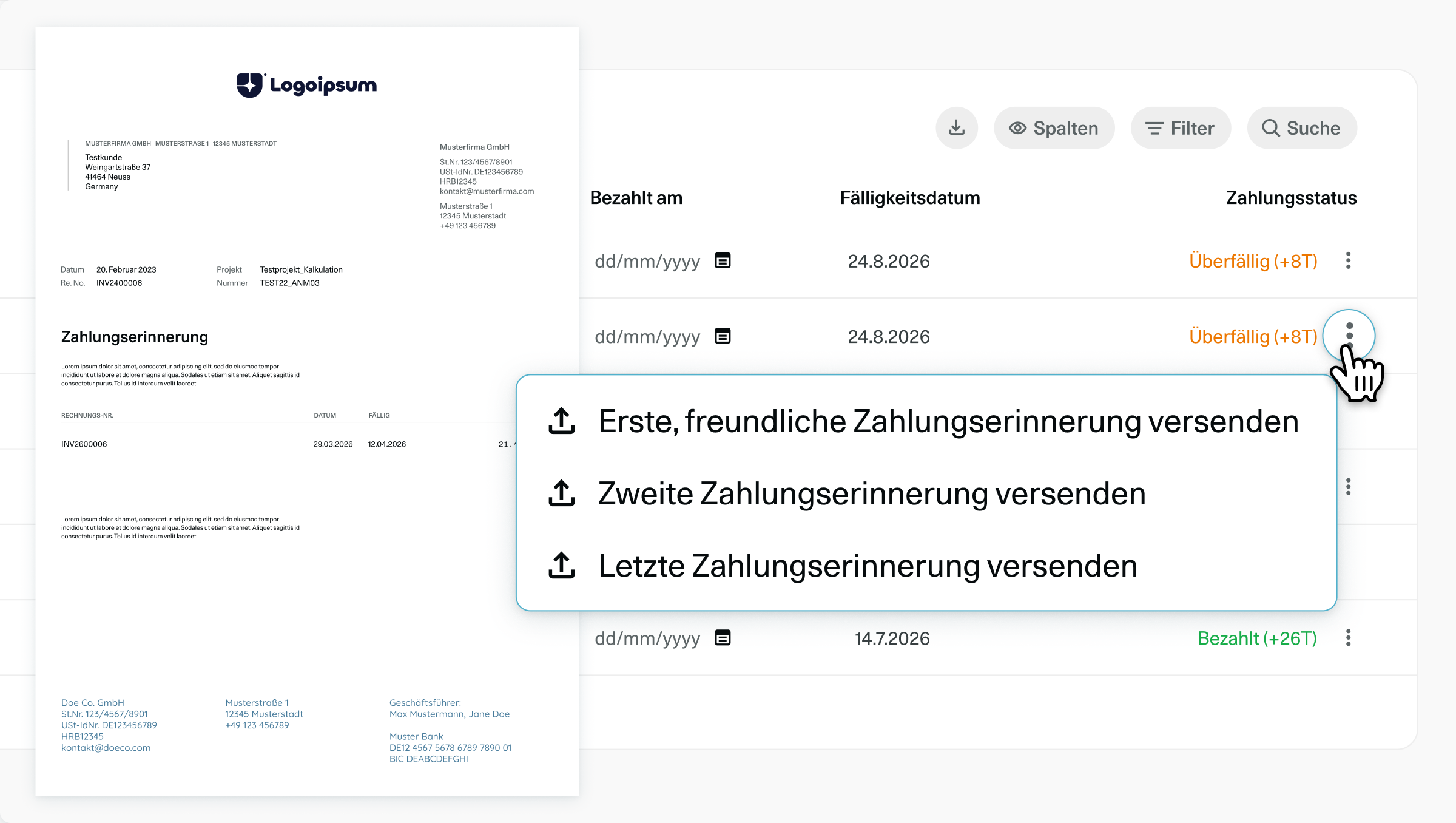
We have great news for your accounting!
We’ve all been there: projects are successfully completed and the invoice has been sent, but the customer is taking their time with the payment.
To make managing your accounts receivable even easier and more direct, we’ve expanded OS/:
You can now create payment reminders directly for your invoices!
How to create a payment reminder
- Navigate to the Accounting section
- Open the Sales Invoices journal
- If an invoice is past due, simply click the three-dot menu for the relevant invoice and select Send payment reminder.
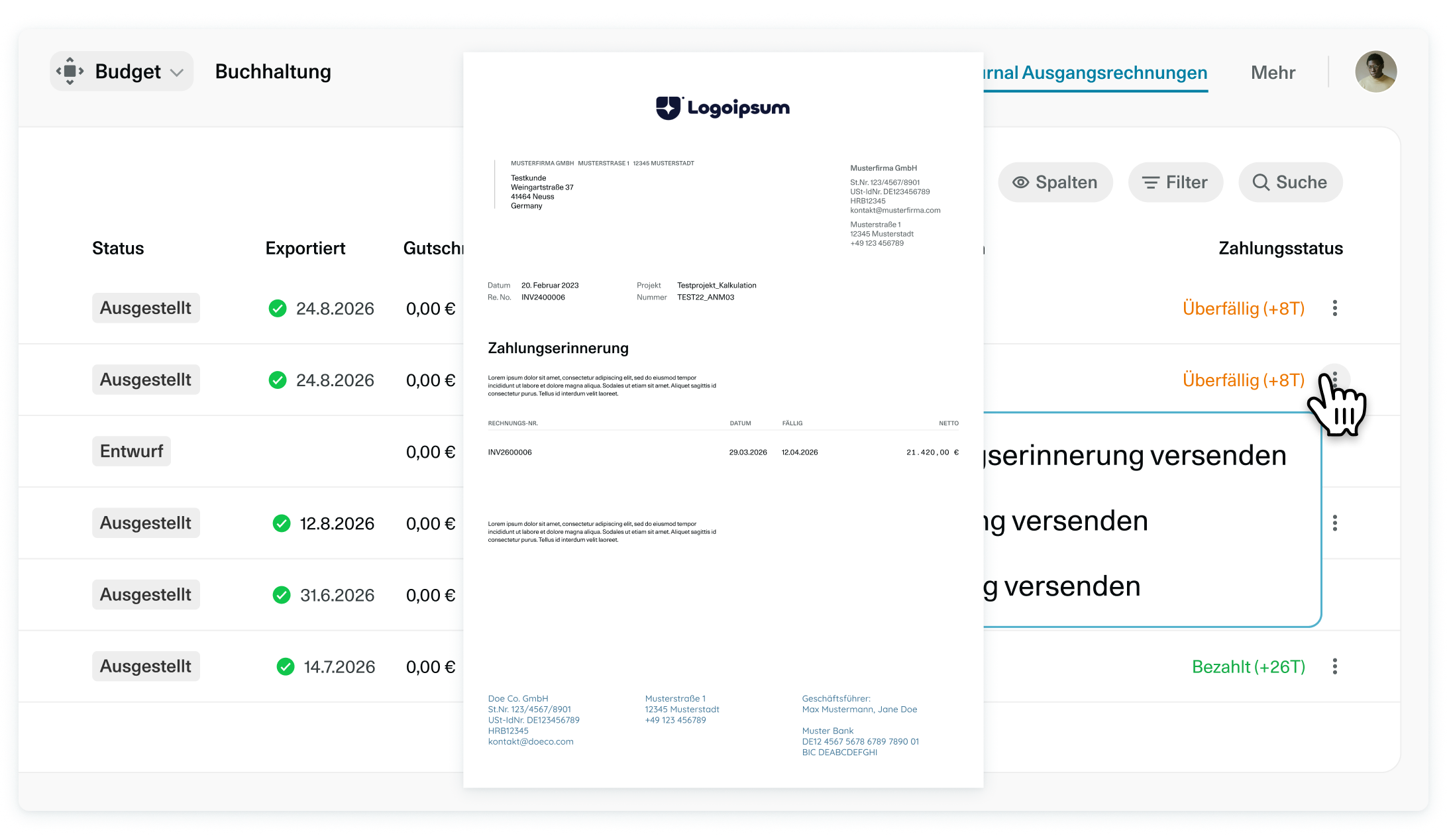
This way, you can keep an eye on your cash flow at all times and notify your customers about outstanding items without any detours or extra effort.
Try it out now with your overdue invoices!
6 Wochen
Unverbindlich testen
Teste OS/ kostenlos und unverbindlich mit deinem gesamten Team, mit vollem Funktionsumfang und kostenlosem Support...