
Features

Budgeting
Build accurate project quotes in minutes
Profitability
Take the guesswork out of project success
Controlling
Effortlessly achieve precise data quality
Reporting
Deep insights into your project business
OS/ AI
Der AI Agent für Agency Intelligence. Eingebaut in OS/.
Project billing & e-invoicing
Working hours and project time at a glance
Time tracking
Working hours and project time at a glance
Contacts
Keeping your customer and supplier data up to date at all times
Customer satisfaction
Give project stakeholders a voice
my OS/
Companion iOS and Android app for insights on the go
Solutions
Expected
Projects that meet all your expectations
True Labor Costs
Know your true labor costs down to the cent
Overhead Cost Factor (OCF)
Complete control over your overhead
Benchmarks
Gain clear insights into your competitive situation
Multi-company setup
Multiple companies, one team? Easy with OS/
Onboarding & User Support
No time for onboarding, training, and support? No problem with OS/
For
Workflows
The new features in your OS/ calculation!
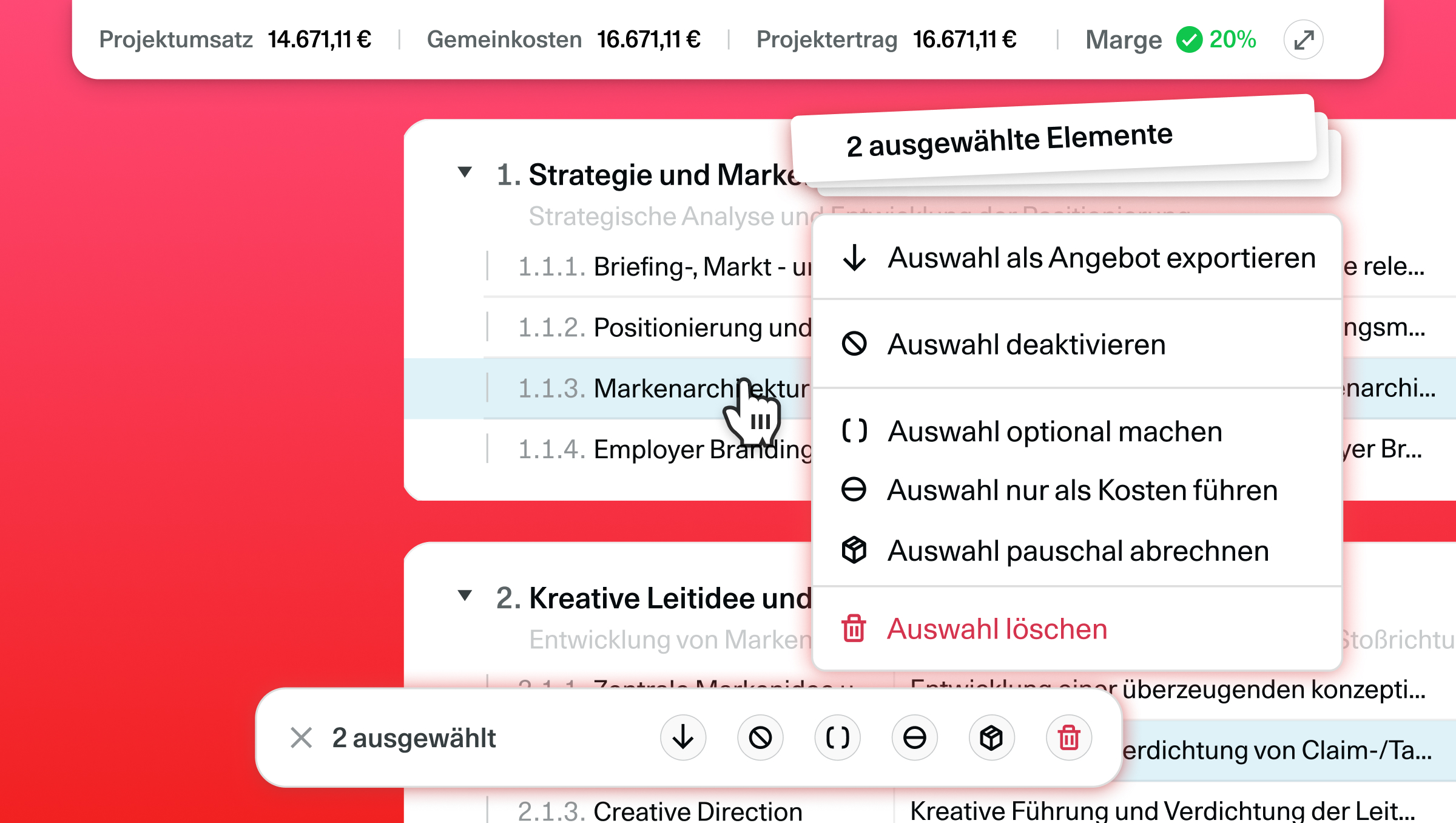
Here is what is new in your budget area:
Multi-Select & Bulk Actions: Select multiple items at once and edit them in a single step. Simply hold down Shift and click on the desired items.
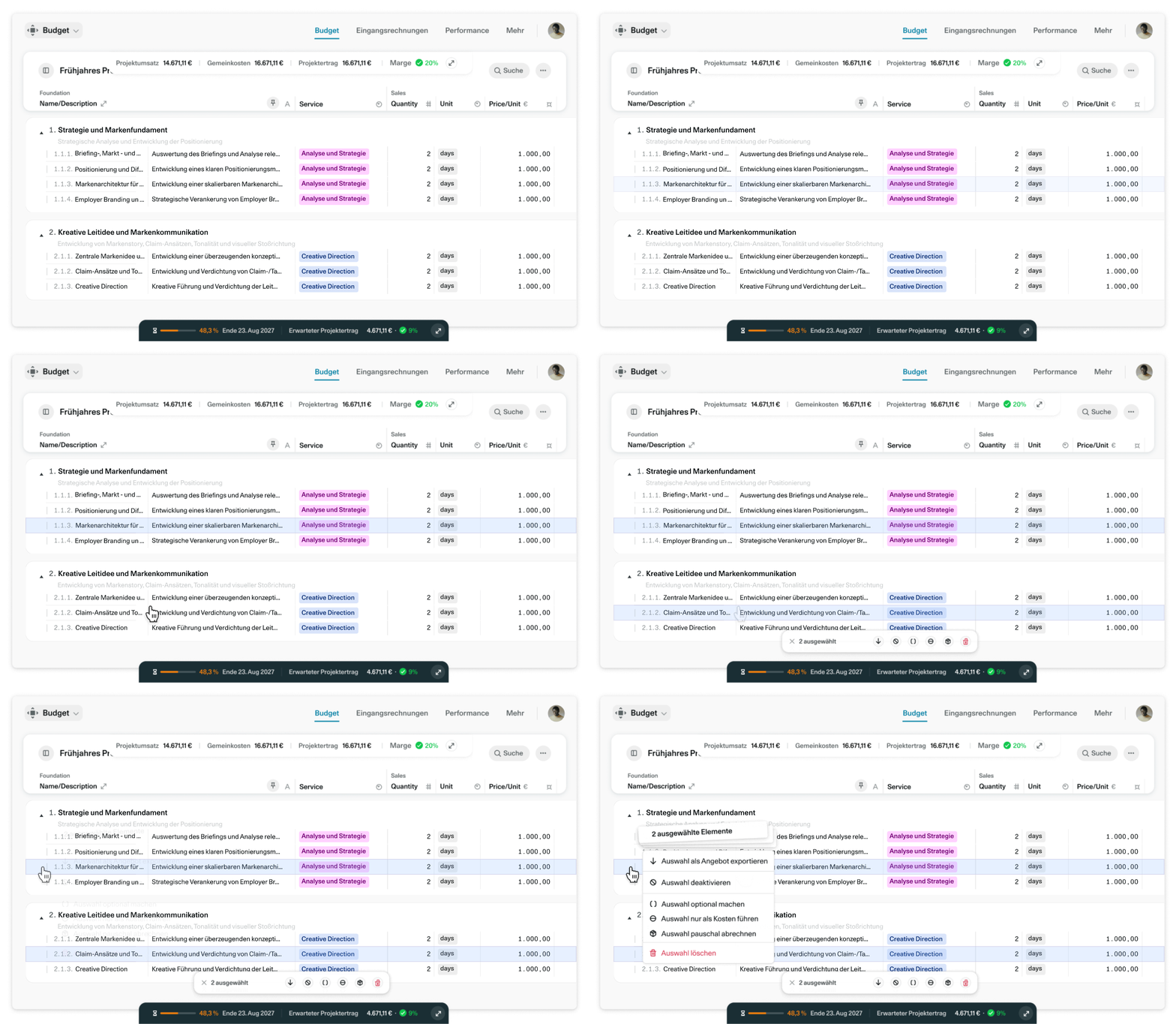
Sticky Columns: You can now pin the title and description of your budget items. This way, you always know which row you are working on.
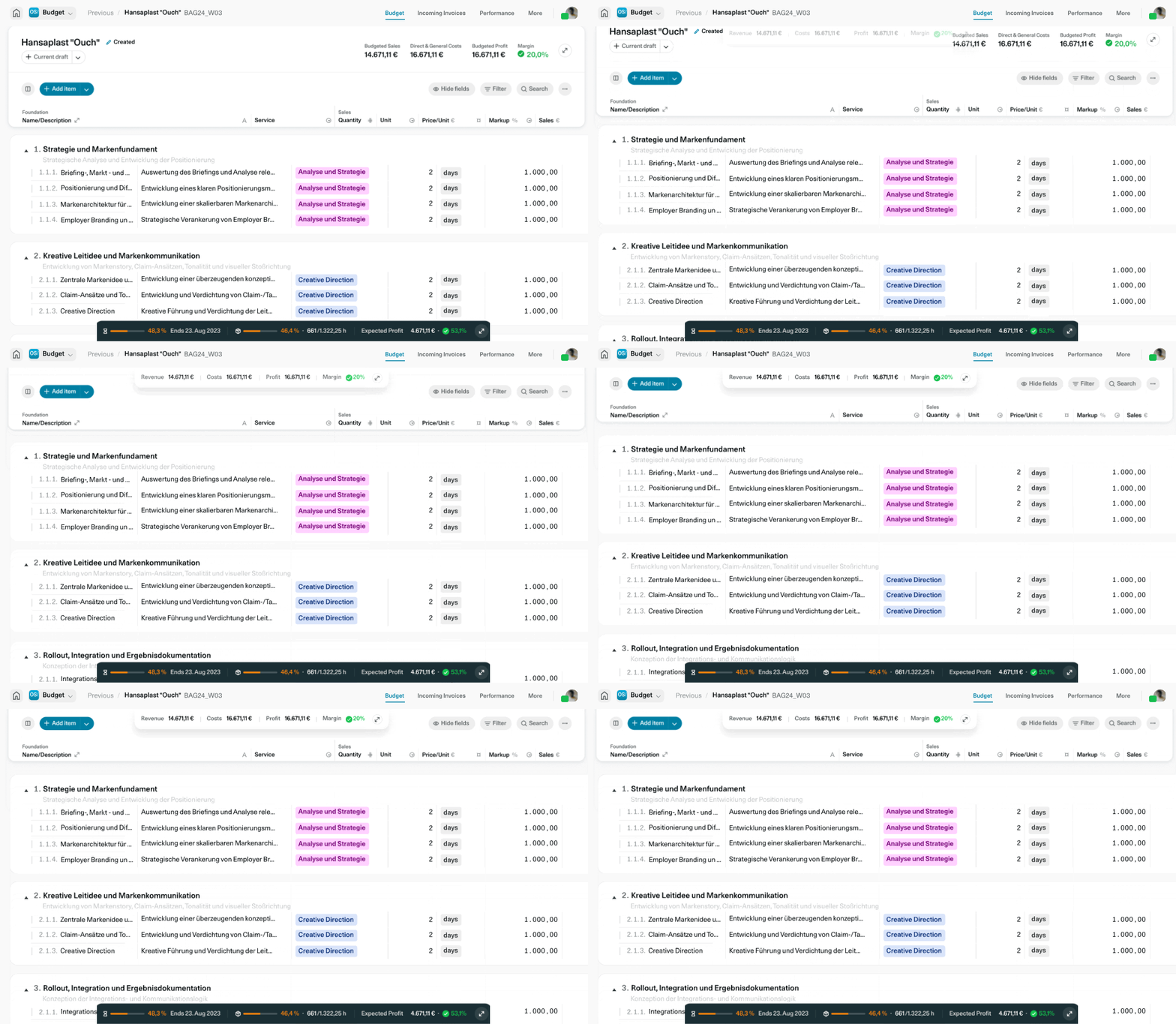
Sticky Budget Header: The most important key figures remain visible while scrolling. This keeps your planned margin in view at all times, even in extensive calculations.
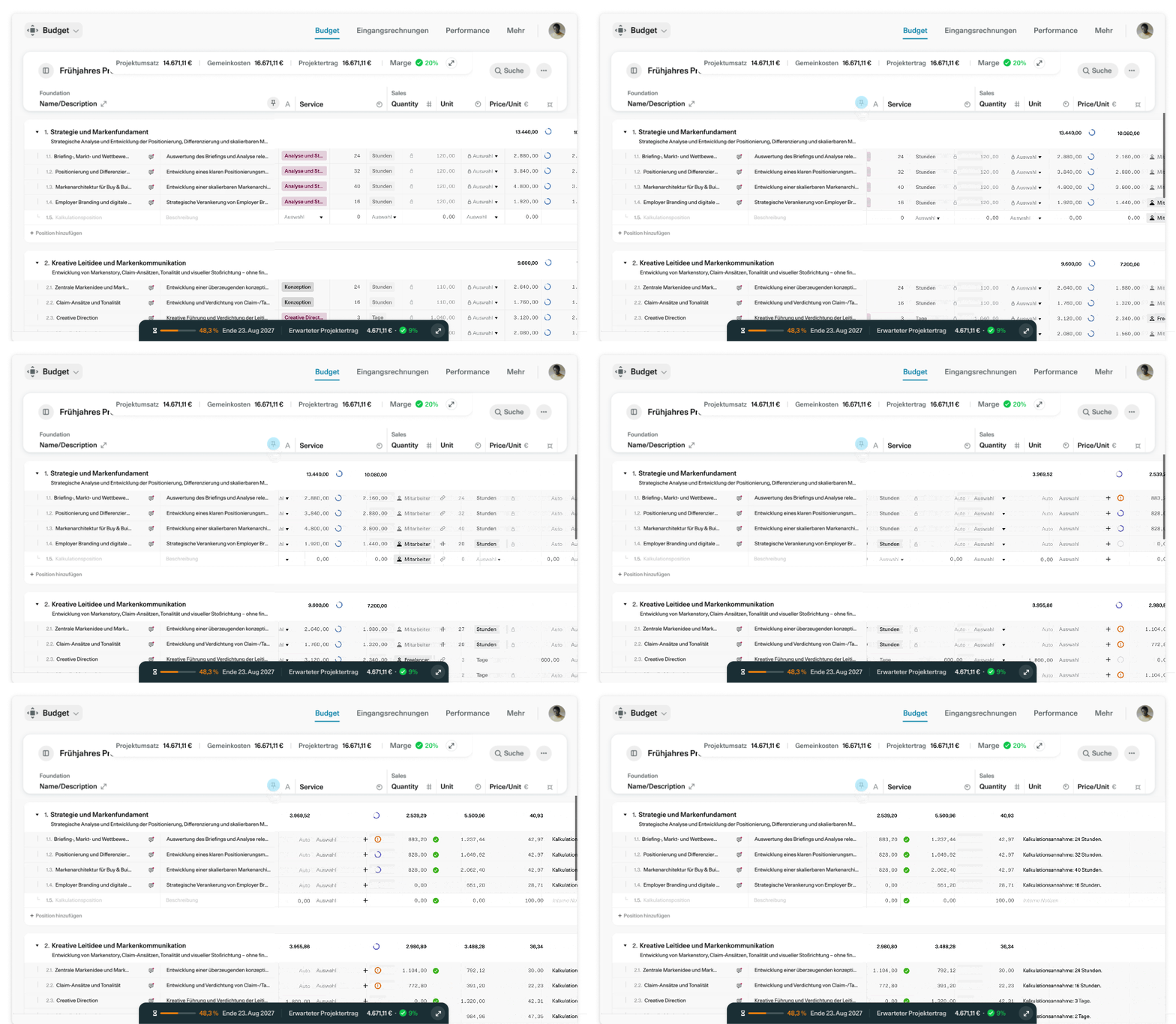
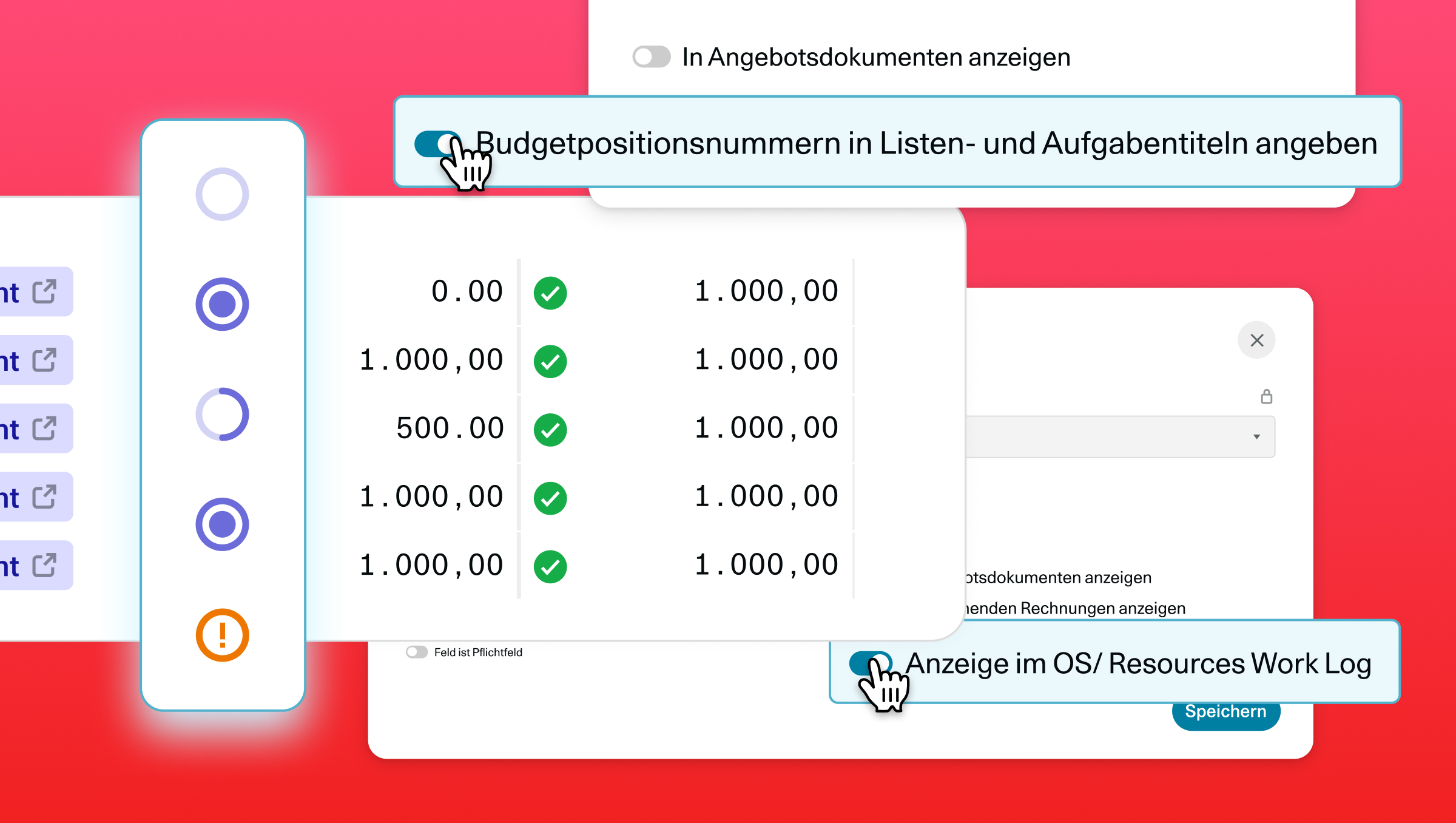
Enhanced Controller & Inspector: New modes for your calculations and unassigned costs provide deeper insights into your budget. Also new is the "Send to AI" button, which allows you to transfer data directly to OS/ AI.
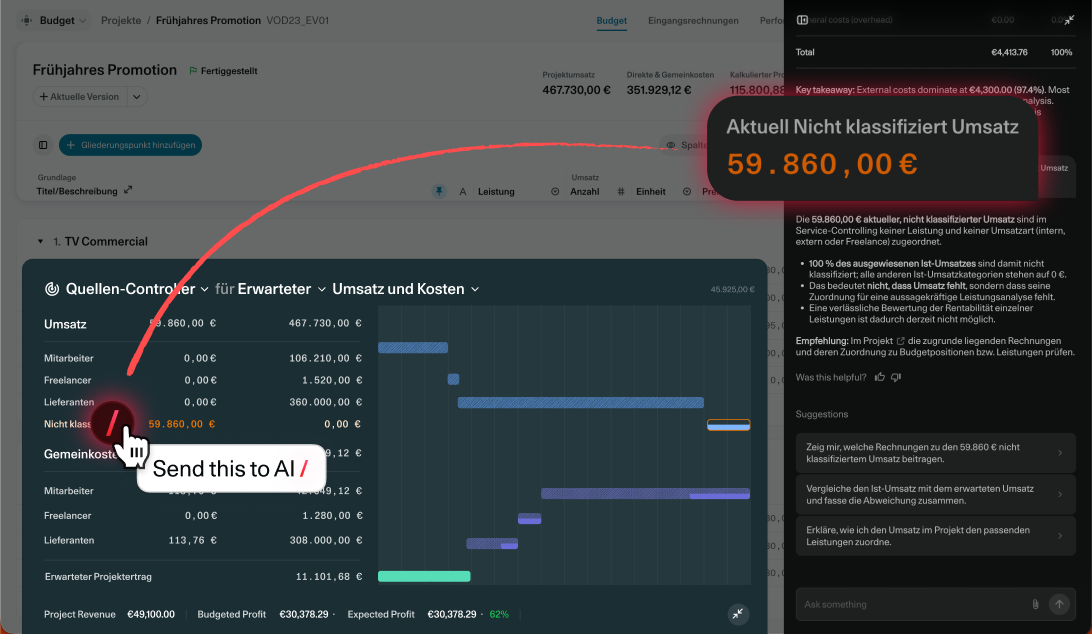
Smarter Detail Dialogs: Use deep links to open the "Assign Costs" dialog directly and share item details with OS/ AI with a single click.
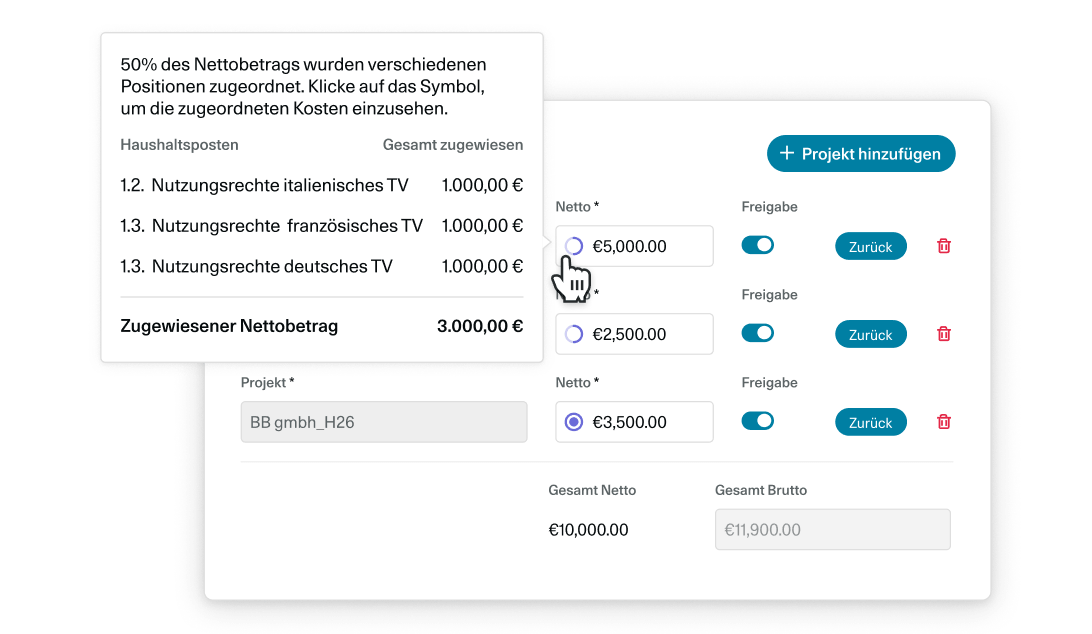
Try out the new features in your next calculation and experience how much time you can save in budget controlling!

6 Wochen
Unverbindlich testen
Teste OS/ kostenlos und unverbindlich mit deinem gesamten Team, mit vollem Funktionsumfang und kostenlosem Support...